QtChange € 29,95
win+mac
New:
This version has some bug fixes introduced after updating to Silicon
You can now also:
Change TC / Reel on Nikon Raw (.nev) files
Change Colorsync metadata
Set new video speed (as CinemaTools could do)
Change TC on MXF files!
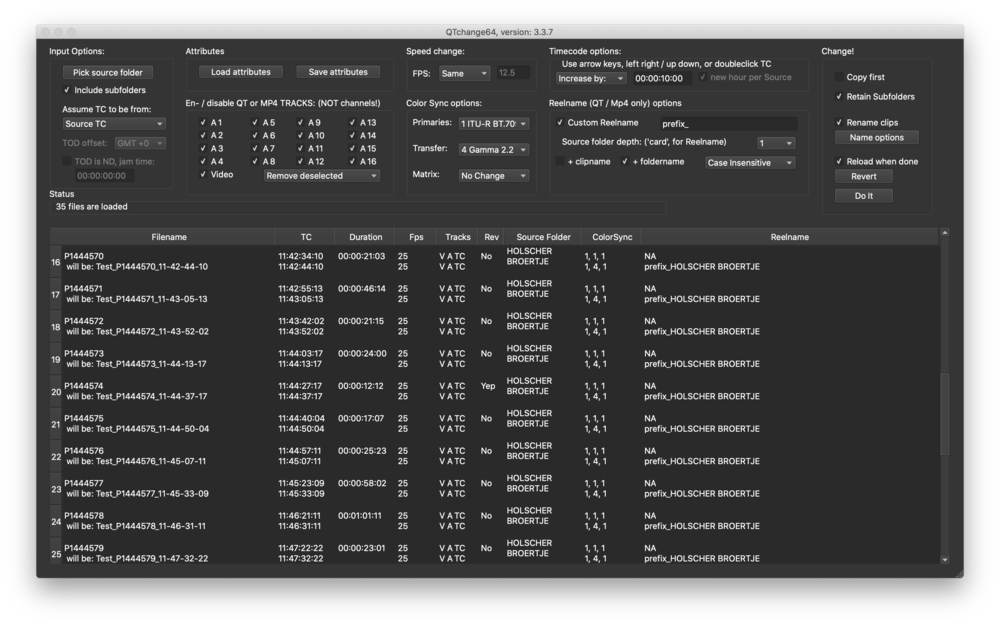
This tool will let you batch alter video / audio files without the need to generate new files.
Use it to alter properties, or to add or change TC / Reel info.
If you like, it can work on the original clips, eliminting the need to create new clips. This makes it extremely fast!
However, for some file formats, it's not 'destructive', as you can always restore the original metadata.
Main features include:
- Add / change Timecode / Reelname
- Convert Timed Metadata TC into 'normal' TC
- Works on Mov, Mp4, MXF, BRAW, CRM, Cinema DNG, Nikon uncompressed(.nev), Wave / BWF and ArriRaw (.arx / .ari)
- Transfer metadata from one file to another. (Eg on a transcode that lost TC / Reelinfo)
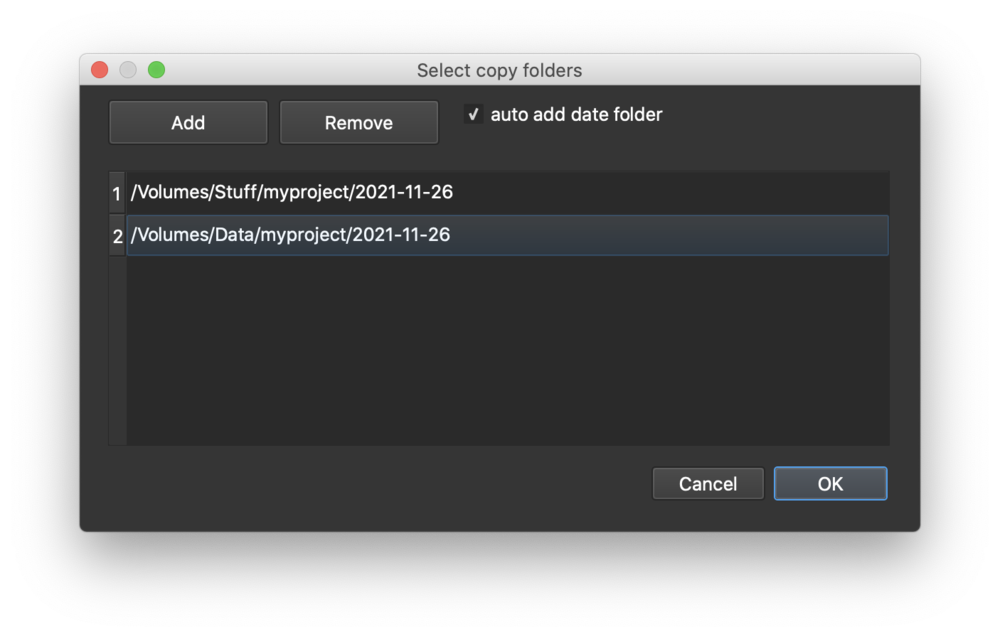
- Offload (copy) cards before working on the clips, to multiple locations, with or without changes
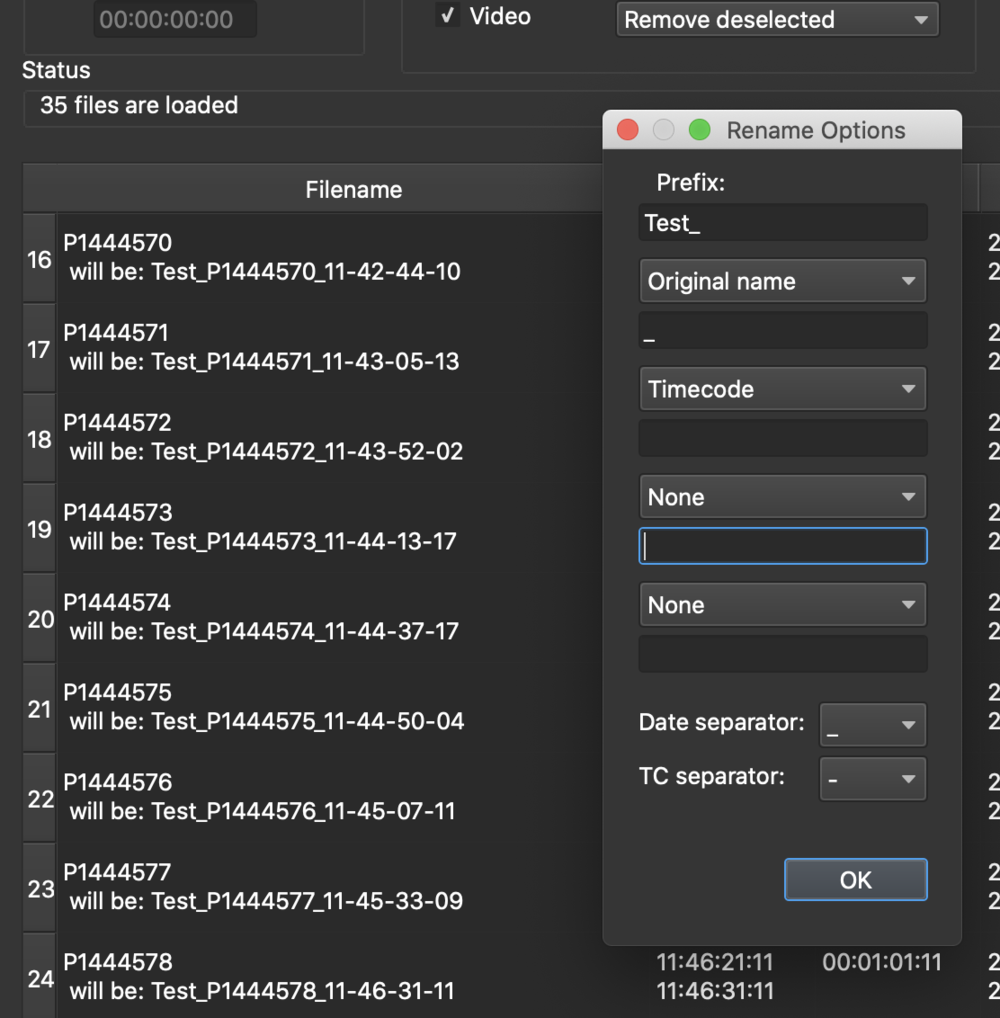
- Rename files, include TC / Date / Reelname
- Change speed (QT, MP4, DNG)
- Compensate for NDF when source TC is creation time
- Change amount of tracks (flag tracks enabled / disabled, delete tracks...)
- Undo / Redo restore original metadata / deleted tracks
- Automated processing with watch folder
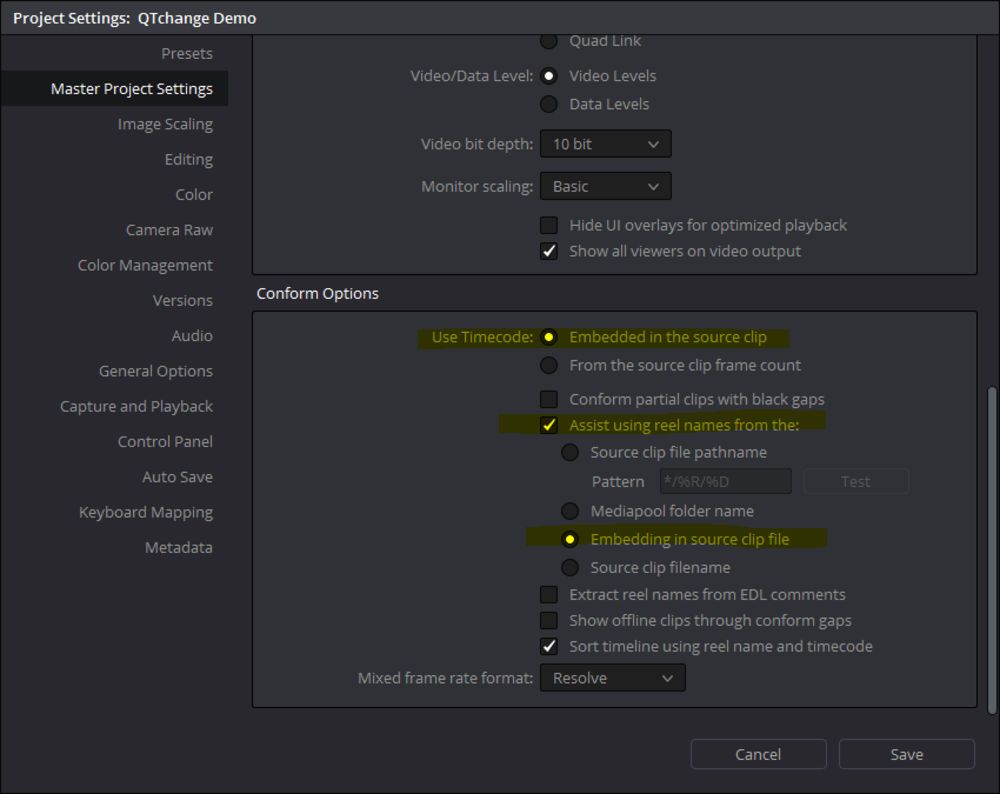
In order to have Resolve seeing TC and Reelname, you need to set it up to do so!
To do this: go into the project settings. There, go to the 'Master project settings'
Scroll down to 'conform options'
then: check the "Use Timecode embedded in the sourceclip" radio button
also: check the "assist using Reelnames from the:" checkbox
and: check "embedding in the source clip file" radio button
Now, the Reelname shows up in the bin.
(Perhaps not immediatly in the Media Pool, sometimes Resolve needs a restart. But TC and Reel should show up in a bin...)
Look at the images to see a screenshot on Resolve's project settings.
Quotes:
Just to say a massive thank-you for fixing the issue. I used to use QTChange to change Reel names back in the mid-2010s. This time, your program saved me hours of syncing work! I was able to sync a load of Venice MXF files automatically by using the Timecode from "Modified Time" along with offsetting the timecode to match the audio files. It has saved me HOURS of work (possibly DAYS).
Amazing program. Thanks again for the very quick turnaround in bug fixes to make it work for me.
Luke Raddy, Blacklabfilms
I recently did a fashion commercial with a VERY internationally famous director. Throughout the shoot he was frustrated with the talent so on the sound track you could hear him swearing and complaining interspersed with 'yeah that's great cool' and so on. No drama - we only needed the video... until the agency requested a copy of all the rushes. In a blind panic I was looking at a month of re-encoding until I remembered I had QTchange. 20 minutes later I'd removed all the audio tracks and was copying the rushes to the server in New York. Thanks Bouke - you saved me once again!
Mike Parsons, VFX Supervisor, Constellation VFX
Thanks. I love the software. I shoot with DSLRs and love being able to have an actual timecode for my clients to look at when selecting sound bites.
Ken Jones
I love this program!!!!!
Scott Sawyer
Outback Studio
Thank you for your prompt response and fantastic product!
Justin Ulrich
Your tools are great, so glad I found them.
Simon Hepworth